Now Seamlessly Sync Jira With Synergita OKR - Learn More

Why Integrate Microsoft Teams with Synergita OKR

Real-time notifications

Receive instant alerts in Microsoft Teams whenever there are updates to your OKRs including approvals, comments, or progress changes.

Update progress from MS Teams

No need to switch between applications. You can update the progress of your Key Results directly from the MS Teams interface.

Stay aligned and engaged

Keep everyone in sync with automated OKR updates shared in team channels, helping teams stay focused on priorities.

Seamless collaboration

Discuss progress, provide feedback, and take quick action within the same communication tool your team already uses.

Here's how to set up Microsoft Teams integration.
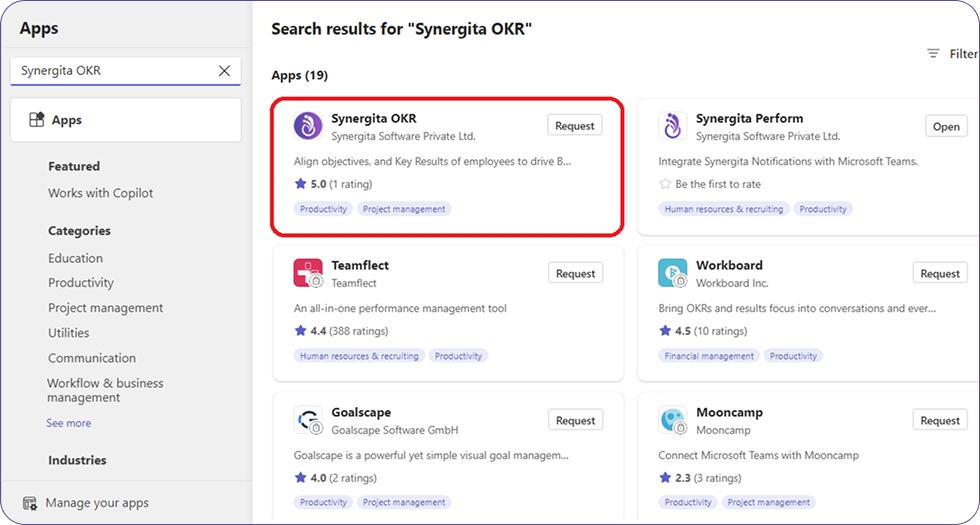
Synergita OKR must be installed to Microsoft Teams.

  • To install,
  • Open MS Teams
  • Access the Apps Library.
  • Search for Synergita OKR.
  • Select Synergita OKR from the list of apps
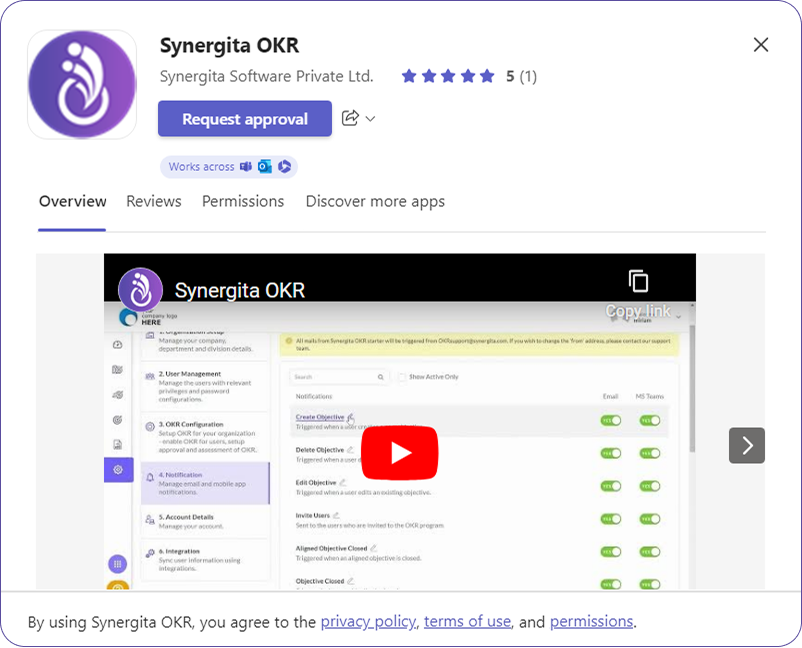
  • This opens the description of the application, along with rating and app permissions,
  • Click on Install button. If your administrator has restricted app installation, then click on Request Approval button. Once the admin accepts, it will be installed.

Receive real-time notifications directly in MS Teams

Learn How

Update your progress without ever leaving MS Teams

Learn How