


Quick Summary
- Setting goals may look simple, but it requires structured planning, constant follow-ups, and clarity on priorities. Doing it manually is challenging. OKR software simplifies goal-setting by making it structured, transparent, and easy to manage.
- The top ten OKR tools include Synergita, 15Five, Lattice, Perdoo, Quantive, Profit.co, Betterworks, ClickUp, Effy AI, and Tability; each tool offers some standout features.
- When choosing an OKR software, you should consider ease of use, alignment features, progress tracking, integrations, scalability, and cost.
- Synergita stands out for its intuitive interface, alignment tree, OKR templates, dashboards, confidence scoring, and competitive pricing.
Setting objectives and key results (OKRs) can often feel like assembling IKEA furniture without any instructions. You start with great enthusiasm, but at some point, you find yourself with a collection of mismatched screws (or goals) and a heap of confusion.
But, it is 2026! We have software for everything, from ordering your favorite coffee to tracking your dog’s movements. So, why not let OKRs help you avoid goal-setting chaos?
In this blog, we’ll highlight the ten best OKR software for startups and SMEs and the key features to consider when looking for an OKR tool for your business.
| Table of Contents 1. What are the Best OKR Software for Startups in the Market? 2. What Should You Look for In an OKR Software for Startups? 3. Final Takeaway 4. Frequently Asked Questions |
What are the Best OKR Software for Startups in the Market?
With so many OKR-tracking tools, finding the right one can be challenging. Here is a list of the top OKR tools for small businesses, including but not limited to Synergita, 15Five, Lattice, Quantive, Profit.co, and Betterworks.
| Software | Key Features | Pricing |
| Synergita | Real-time tracking, OKR templates, alignment tree, and AI-powered insights | Free plan + Paid from $3/user/month |
| 15Five | Real-time feedback, One-on-One meeting tool | From $4–$16/user/month |
| Lattice | Dashboards, integrations, OKR cycles | Custom pricing (contact sales) |
| Perdoo | Supports both OKRs and KPIs, offers engaging visualisations | Free + Premium €6.40–€8/user/month |
| Quantive | AI goal setting, org chart, gamification | Custom pricing (contact sales) |
| Profit.co | Customizable OKR templates, advanced reporting | Custom pricing (contact sales) |
| Betterworks | Check-ins, analytics, integrations | Custom pricing (contact sales) |
| Clickup | Real-time update, custom dashboard | $7–$12/user/month |
| Effy AI | AI goal suggestions, automation | Free + $6–$8/user/month |
| Tability | Weekly updates, strategy map | $5–$8/user/month |
1. Synergita
When it comes to the best OKR tool, Synergita is a name that stands out from the competitors for its unique and innovative tool. It is built to meet the needs of both Small and Large Teams. It is known for its simple and easy to use UI, and quicker adoption curve.
Synergita OKR can help you simplify your goal-setting process, enhance collaboration, and track your progress. With features such as real-time key result updates, customizable templates, and insightful analytics, Synergita not only makes OKR implementation easier but also provides the tools necessary for more informed decision-making. The tool also offers a free trial of the full version, which you can use to evaluate the product.
Key Features of Synergita:
Synergita is jam-packed with features that make it an excellent choice for companies looking to implement OKRs effectively.
Here’s what makes Synergita stand out:
1. Hierarchy Tree
The hierarchy tree feature offers a straightforward visual representation of how to align employee OKRs with the company’s objectives. This ensures complete alignment among teams and departments, making it easy to identify who is contributing to which goals.
2. Alignment and Cascading
Synergita enables smooth goal alignment between the OKRs throughout the organization. Objectives flow from top-level corporate goals down to team or individual OKRs, making sure that everyone is working towards the same direction. Additionally, Synergita supports a Bottom-Up approach, where teams and individuals can define their own OKRs that contribute to and influence higher-level objectives.
Suggested Reading: Cascading vs. Alignment: Which is the Best for Your Organization?
3. OKR Templates
Synergita’s pre-designed OKR templates enable organizations to kick off their initiatives swiftly, eliminating the need to start from scratch. OKRs from these templates can be edited to meet the specific requirements of any team or individual.
4. Interactive Dashboard
Synergita’s interactive dashboard provides a real-time overview of progress, offering visual insights into OKR performance. This makes it easy to identify areas needing attention.
5. Confidence Level Tracking
With the Synergita confidence level feature, teams can evaluate how likely they are to reach their goals. This promotes honest reflection and encourages proactive problem-solving when confidence starts to wane.
6. Integrations
Synergita integrates seamlessly with top tools like Slack, Teams, Jira, and HRIS systems such as ADP Workforce, Alexis HR, Bamboo HR, and more. This enhances productivity and reduces the inconvenience of switching between platforms. This makes it easier to incorporate OKRs into your everyday tasks.
7. Scalability
Synergita is built to scale alongside you. Irrespective of the size of the business, Synergita adapts to your organization’s evolving needs. As your teams and goals expand, Synergita ensures that you always stay on the right path, maintain alignment, and drive progress at every stage of your journey.
Pros and Cons of Synergita
Pros of Synergita
- Minimal learning curve.
- Affordable and competitive pricing
- Integrations with tools like Microsoft Teams and Slack for better collaboration
- Access to free OKR templates designed for teams, departments, and individuals.
- Free forever plan suitable for small-scale use.
- Customizable measurement units for Key Results.
Cons of Synergita
- No multi-language support yet.
- Limited offline functionality; requires internet access.
Synergita Pricing
Pricing is a crucial factor to consider when selecting the right OKR tool. Synergita operates on a Subscription Model.
Synergita OKRs offers 3 plans:
- OKR Starter Pack: Free Forever
- OKR Lite: $3 Per User/Month
- OKR Growth: $6 Per User/Month
2. 15Five
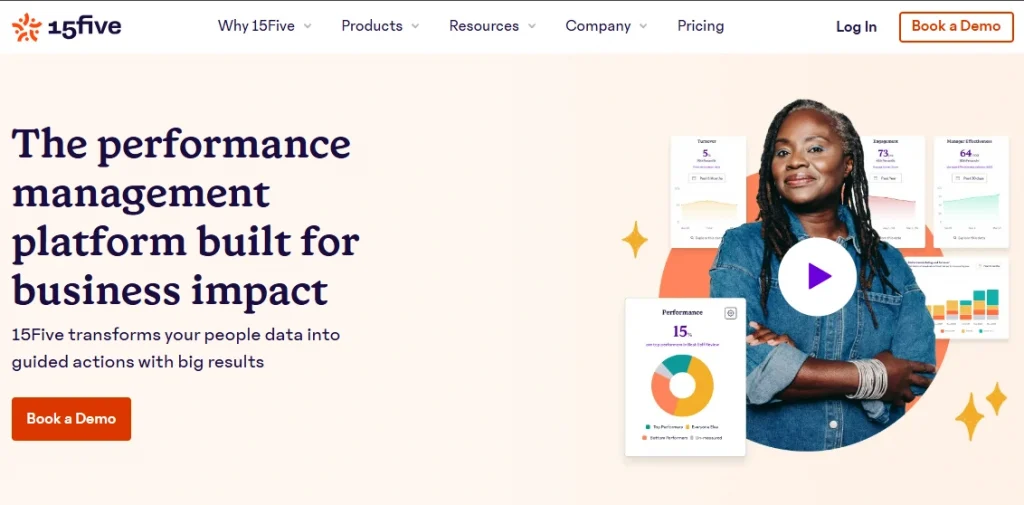
15Five is an easy-to-use tool that focuses on employee engagement and performance management, with the goal of encouraging a culture of continuous feedback and growth. This platform allows companies to track goals, set OKRs, and ensure team alignment in a simple and effective manner.
Key Features of 15Five
1. Weekly Check-ins: Allows for regular check-ins to track progress toward OKRs and gather feedback.
2. Real-time feedback: It allow employees and managers to easily provide and receive feedback, creating a continuous cycle of improvement.
3. Goal Tracking: Helps teams set and track OKRs that are aligned with the broader company objectives.
4. One-on-one Meetings Tools: Facilitates regular one-on-one meetings among managers and their teams to discuss progress and challenges.
Pros and Cons of 15Five
Pros of 15Five
- Advanced employee engagement features
- Weekly questions can be customized for a feedback thread.
- Provides one-on-one and 360-degree feedback
Cons of 15Five
- OKR is an additional feature that is not available on free plans.
- Limited control over the dashboard experience
- It lacks some advanced reporting features.
Pricing of 15Five
15Five offers three plans:
- Engage at $4 per user per month
- Perform at $10 per user per month
- Total Perform at $16 per user per month
3. Lattice
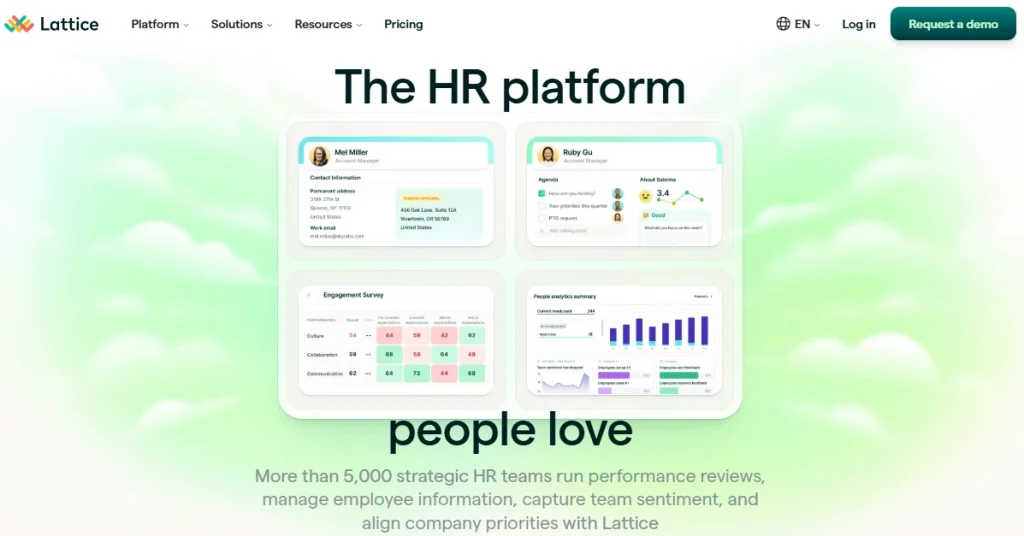
Lattice is among the best OKR software that provides goal-setting capabilities, which allow your company to establish company OKRs that are integrated into teams’ daily workflow. These objectives can be met through one-on-one meetings, goal status updates, and performance check-ins, with data integrations allowing for easy updates throughout the organization.
Key Features of Lattice
- Lattice’s easy-to-use alignment tools help you align strategic goals across your organization.
- With intuitive and customizable dashboards, you can efficiently track your progress.
- OKR templates can be customized to meet the needs and goals of a specific business.
- You can integrate OKRs in performance management to align achievement with top business priorities.
Pros of Lattice
- Integrations with producitivity and collaboration tools.
- Provides a simple visualization of OKRs and goals.
- Advanced option for viewing individual, team, and company goals.
Cons of Lattice
- Limited third-party integrations in comparison to competitors, which may hinder workflow
- High learning curve for new users.
Pricing of Lattice
Prices vary depending on the functionalities you choose. Visit the Lattice Pricing page for more details.
4. Perdoo
Perdoo is a well-known OKR and strategy execution software that enables businesses to effectively implement and manage their strategic objectives. It offers a structured process that includes developing a winning strategy, identifying key objectives, and regularly reviewing progress to ensure goals are met.
Key Features of Perdoo
- Engaging visualizations like maps and timelines, custom reports, and even the ability to set up your funnel on Perdoo with KPI boards.
- Perdoo supports both OKRs and KPIs
- Perdoo integrates with Microsoft Teams, Slack, Jira, and Google Sheets.
Pros and Cons of Perdoo
Pros of Perdoo
- The growth board and drag-and-drop roadmap provide a unique way to highlight OKRs.
- An interface that can be customized to enable or disable features like a toogle providing a more straightforward user experience.
- Progress reporting and tracking is quite simple.
Cons of Perdoo
- Costly for small teams and companies (<25 people).
- New users may find the setup and customization process time-consuming.
- Sorting OKRs can be challenging.
Pricing of Perdoo
Perdoo offers a Free Version with limited functionalities, then offers a Premium Plan €6.40 per user/ month €8 per user/month.
5. Quantive
Quantive is an AI-powered platform that assists businesses with strategic planning, execution, and evaluation. It enables organizations to quickly transform challenges and opportunities into actionable plans, ensuring team alignment and driving meaningful outcomes. Quantive’s “Always-on” strategy encourages adaptability, decentralization, and rapid decision-making, allowing businesses to respond quickly to market changes.
Key Features of Quantive
- To maintain high levels of engagement, Using Quantive Platform you can highlight a team’s or individual’s greatest accomplishments and reward performance with badges, gifs, and comments
- Stay updated on your team’s OKR activity and maintain an audit trail with activity history.
- Slack and Microsoft Teams integration allows you to communicate with teammates and collaborate on goals and tasks in real time.
- Automatically generate an organizational chart to help team members understand the company’s structure
Pros and Cons of Quantive
Pros of Quantive
- Gamified goal setting with AI support for setting and updating OKRs.
- There are numerous learning resources for OKRs and Quantive’s products.
- Very responsive support team.
Cons of Quantive
- Setting up cascading OKRs takes some getting used to.
- learning curve may be high.
- Primarily focuses on company goals rather than day-to-day tasks.
Pricing of Quantive
Quantive offers three plans: Teams, Business, and Enterprise. You need to contact Sales for pricing.
6. Profit.co
Profit.co is a widely recognized OKR platform that helps organizations adopt a structured and scalable goal-setting framework. It offers end-to-end OKR management with deep performance tracking, customizable workflows, and rich dashboards suited for growing and enterprise-level teams. With its intuitive interface and robust reporting capabilities, teams can align goals, track outcomes, and maintain high accountability throughout the OKR cycle.
Key Features of Profit.co
- Profit.co offers structured OKR planning with customizable templates, allowing organizations to design goal hierarchies, align teams, and track outcomes in real time.
- Its built-in performance management system supports 360° reviews, pulse surveys, and engagement analytics to strengthen organizational feedback loops.
- The platform provides advanced reporting workflows, including automated PPT exports, granular KPI dashboards, and real-time progress visualization.
- Integrations with Jira, Salesforce, Slack, HubSpot, and Microsoft tools enable seamless data syncing and cross-functional tracking.
Pros and Cons of Profit.co
Pros of Profit.co
- Comprehensive platform that combines OKRs, performance reviews, engagement, and tasks.
- Highly customizable interface for OKR templates, views, workflows, and workspaces.
- Strong customer support with fast response times and positive user ratings.
Cons of Profit.co
- New users may find the platform’s many complex features overwhelming.
- Some users say the report export or download options are limited.
- Initial OKR setup can be time-consuming.
Pricing of Profit.co
They offer custom pricing tailored to each business’s specific requirements.
7. Betterworks
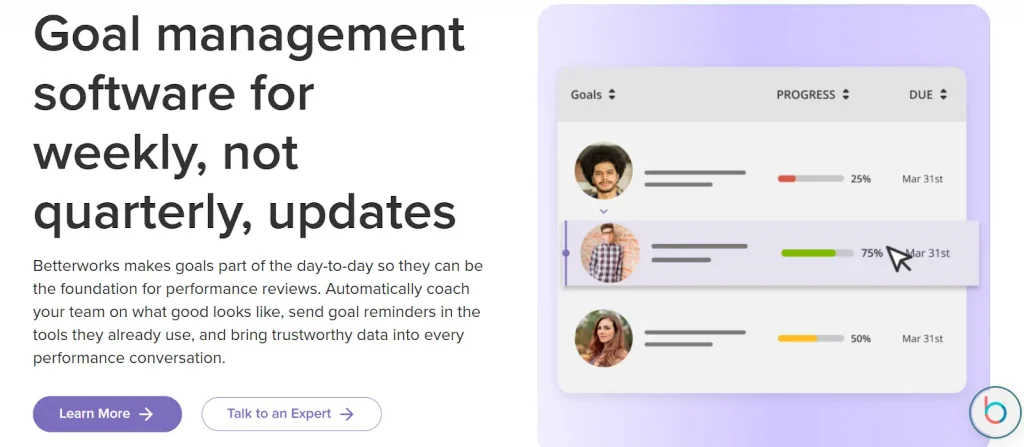
Betterworks brings OKRs and continuous performance management into one unified platform, making it an ideal choice for organizations that want to connect goals with real-time progress and feedback. It offers enterprise-grade goal alignment, manager check-ins, and ongoing insights powered by robust analytics.
Key Features of Betterworks
- Betterworks connects OKRs with performance conversations, enabling ongoing feedback, progress tracking, and structured coaching sessions for continuous improvement.
- Its manager check-ins, 1:1 templates, and conversation tools help maintain consistent performance alignment throughout the year.
- The analytics dashboard delivers talent insights, performance trends, and risk indicators that support workforce planning.
- Enterprise-grade integrations with Slack, Workday, Google Workspace, and Microsoft Teams ensure easy adoption across large organizations.
Pros of Betterworks
- Modular goal-setting allows breaking large objectives into smaller, structured, and aligned milestones.
- Analytics dashboards provide actionable insights for managers and strategic planning.
- Enterprise-level security certifications ensure high compliance and data protection.
Cons of Betterworks
- Reminder and notification systems may be insufficient, especially near goal deadlines.
- Onboarding can be complex due to enterprise-level features and full functionality.
- Higher pricing may not be suitable for smaller or mid-sized companies.
Pricing of Betterworks
They offer custom pricing based on business size and requirements.
8. ClickUp
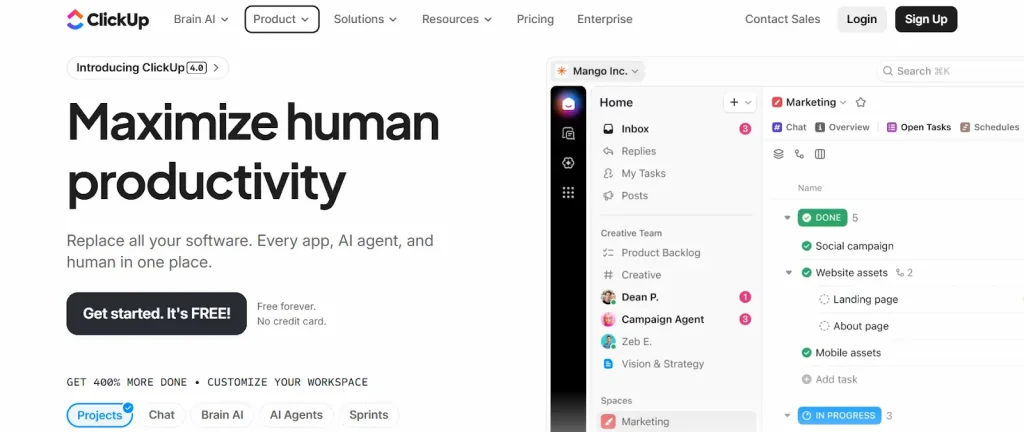
Designed to streamline both goal-setting and execution, ClickUp allows teams to connect objectives directly to tasks, sprints, and ongoing projects. With adaptable dashboards, real-time progress updates, and a wide integration ecosystem, ClickUp has emerged as one of the best OKR software for startups and small organizations that need visibility, alignment, and execution in one platform.
Key Features of ClickUp
- ClickUp’s Goals module lets teams build OKRs with goals, sub-goals, and linked tasks, ensuring clear alignment between work and company objectives.
- Real-time progress updates come from task completions, sprint data, and workload views, helping teams stay accountable throughout the cycle.
- Custom dashboards offer KPI widgets, charts, and visual reports that help teams monitor performance from a single control panel.
- The platform integrates with over 1,000 tools, including GitHub, Slack, Notion, and Google Apps, enabling seamless workflows.
Pros and Cons of ClickUp
Pros of ClickUp
- Unified workspace that allows businesses to manage OKRs, tasks, projects, and sprints together.
- Custom dashboards track KPIs with widgets, fields, and visual reports.
- Seamless integrations to connect ClickUp with tools like Slack, GitHub, and Google Apps.
Cons of ClickUp
- Occasional bugs and performance issues can slow down the workflow.
- Permission setup can be confusing, leading to workflow disruptions.
- Not fully specialized for OKRs, lacking some advanced alignment features.
Pricing of ClickUp
ClickUp offers three plans:
- Unlimited: Best for small businesses, plans start at $7 per user per month.
- Business: Best medium-sized businesses, plans start from $12 per user per month.
- Enterprise: Best for large teams, custom pricing based on requirements.
9. Effy AI
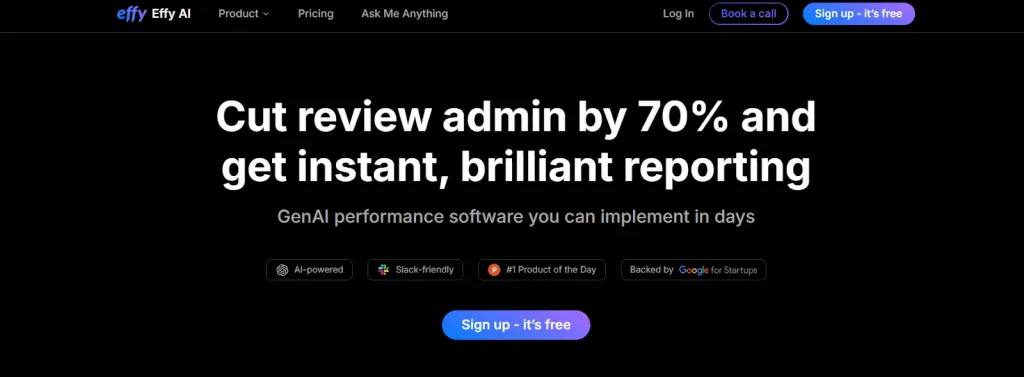
Effy AI is a modern, AI-powered OKR and performance management tool designed for startup and fast-growing teams. The platform uses artificial intelligence to simplify goal creation, generate insights, and assist managers during evaluations. Its user-friendly interface, automation features, scalability and competitive pricing make it one of the best OKR software for startups and small businesses.
Key Features of Effy AI
- Effy AI allows teams to set OKRs and SMART goals with parent-child alignment, ensuring every goal clearly links to business priorities.
- Its AI engine helps generate goals, summarize performance reviews, and highlight risks or patterns to support data-driven decisions.
- Managers can run automated performance cycles with guided reviews, reminders, and calibration tools to maintain fairness and accuracy.
- Integrations with Slack and Google Workspace help teams send feedback, complete check-ins, and track OKR progress directly from their workflow.
Pros of Effy AI
- AI-powered suggestions simplify goal creation and reduce manager workload.
- Built-in calibration and bias detection improve the fairness of evaluations.
- Easy Slack integration keeps feedback, reviews, and OKR updates in one place.
- A simple setup allows teams to launch cycles quickly without complex onboarding.
Cons of Effy AI
- AI-generated insights may not always capture nuanced performance details.
- Reporting features are not as advanced as enterprise-grade tools.
Pricing of Effy AI
Effy AI offers a free plan for up to 5 members, and paid plans start from $6-$8 per user per month.
10. Tability
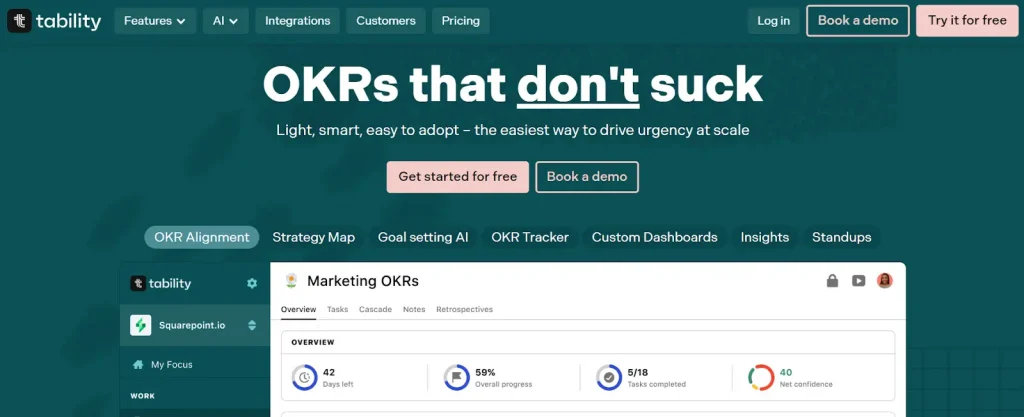
Tability is a lightweight, focused OKR tool built to encourage consistent progress updates and transparency across teams. Known for its simplicity, Tability helps teams conduct weekly check-ins, track progress visually, and eliminate the complexity often associated with traditional OKR platforms. It is easy to set up and ideal for teams that want a minimalistic yet effective OKR system.
Key Features of Tability
- Tability focuses on simple OKR execution with weekly check-ins, guided updates, and health indicators to encourage consistent progress tracking.
- Its strategy map provides a visual cascade of objectives, helping teams understand alignment and how each goal contributes to broader company strategy.
- Built-in accountability tools, such as reminders and check-in prompts, support disciplined follow-through without heavy workflows.
- Integrations with Jira, Asana, Slack, and Trello help pull work progress directly into OKR updates.
Pros and Cons of Tability
Pros of Tability
- Modern, clean user interface minimizes friction and improves usability.
- Integrates with tools like Jira and Asana to track progress efficiently.
- Scalable platform designed to grow with teams.
Cons of Tability
- Initial setup and customization can be time-consuming for first-time users.
- Lacks comprehensive enterprise HR features, focusing mainly on goals and outcomes.
- Some strategy map views may not display well on mobile devices.
Pricing of Tability
Tability offers three plans:
- Basic: $5 per user/month
- Premium: $8 per user/month
- Enterprise: Custom pricing according to the requirements
What Should You Look for in an OKR Software for Startups?
OKR is critical to improving business performance and achieving desired results within time. When selecting an OKR tool for your company, ensure it includes essential features for your company’s specific needs. Here is what you should look for in an OKR software for startups:
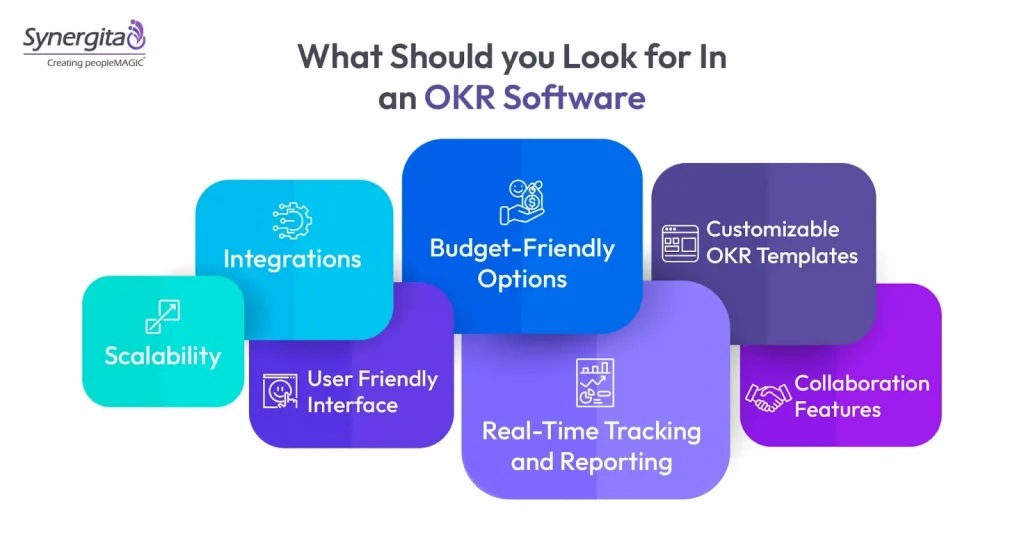
1. User Friendly Interface
It should have a simple and intuitive interface that doesn’t require a steep learning curve for your team. A good interface will allow everyone in the company to get up and running with the software in no time without too much training.
2. Customizable OKR Templates
Every company is unique, and so are its goals and working styles. It should allow you to customize templates to fit your company. Whether you’re in a tech company, a marketing team, or a manufacturing firm, your OKRs will differ, and the software should adapt to that.
3. Real-Time Tracking and Reporting
Real time tracking is key to transparency and momentum for your team. The best OKR tracking software for startups should allow you to track your Objectives and Key Results in real time. It will enable you to make quick adjustments, celebrate wins, and course-correct as needed.
4. Collaboration Features
The OKR management tool must include collaboration features such as shared goals, comments, and notifications so teams can stay connected no matter where they are in the office or around the world. Real-time collaboration creates a sense of shared responsibility for goals, thereby increasing engagement and performance.
5. Integrations
Your OKR Software shouldn’t feel like an additional task. It should integrate seamlessly with your other platforms, such as project management tools, HRIS systems, communication tools, and calendar apps.
6. Scalability
Your OKR tool should be able to grow with your organization. The tool you choose should be scalable, meaning it should be able to handle more users, goals, departments, key results, etc. The software should allow you to add more users and create more departments without disturbing your existing workflows.
7. Budget-Friendly Options
Cost is a big factor to consider when choosing an OKR software for startups and smaller organizations with limited budgets. Look for software with a clear and transparent pricing model. Free trials or freemium versions can also be useful to test the software before committing.
Suggested Reading: 10 Must-Have Features of OKR Goal Setting Software
Final Takeaway
Now you have a clear understanding of the key features to look for in an OKR tool. But with so many options on the market, choosing the right software for your company can be difficult.
This is where Synergita OKR steps in. With intuitive dashboards to customizable templates, seamless integrations and competitive pricing, Synergita has everything that a startup needs in an OKR tool.
If you are looking for OKR goal-setting software that gets things done without complication, explore Synergita OKR Software free for seven days and see how it can help you transform OKR tracking.
Frequently Asked Questions
The most common challenge is setting measurable key results instead of tasks. Companies also struggle with overloading teams with too many OKRs, inconsistent check-ins, and a lack of leadership alignment. OKR software like Synergita simplifies OKR adoption with a simple user interface and streamlines workflows.
2. Do OKRs work for small businesses and startups?
Yes, OKRs help startups and small businesses to focus on what matters most, eliminate distractions, and keep teams aligned during rapid scale-up.
Yes, Synergita allows organizations to configure OKRs at every level: company, department, team, and individual, and link them together for complete alignment and goal visibility.
Synergita supports automated check-ins, reminders, progress updates, and dashboards that pull data from workflows. Managers get real-time visibility into how teams are performing without manual follow-ups.
Absolutely, the platform includes templates, goal-setting workflows, and onboarding support that help first-time OKR users adopt the OKR framework without steep learning curves.