



Every project that runs over budget, misses a deadline, or loses stakeholder confidence has one thing in common: the warning signs showed up early, but there was no structured way to surface them in time. A well-designed progress report solves this by identifying risks early and giving teams time to act before the project derails.
Key Takeaway
- Progress reports help to keep stakeholders informed and flag risks early so that these can be addressed.
- Every progress report should cover six elements: reporting period, completed work, work in progress, planned tasks, risks and blockers, and key metrics.
- The seven templates in this guide include weekly, monthly, employee, team, project manager, quarterly, and one-page formats.
- A progress report is only as useful as the information inside it. Completed work should describe the outcome and not the hours spent. Every next step should have one owner and one deadline.
When a team misses its targets, most of the time, it’s due to a communication gap. Usually, the risks are discovered late, and there is very little time to act on them. According to PMI’s Pulse of the Profession In-Depth Report, ineffective communication is to blame for more than half of projects that fail to meet their business goals, and puts $75 million at risk for every $1 billion spent.
A well-structured progress report helps the team spot issues early and fix them. But creating a progress report manually can take a significant amount of time and might lead to inconsistencies.
This guide covers ready-to-use progress report templates organized by use case, a step-by-step writing guide for writing effective progress reports.
| Table of Contents 1. What Is a Progress Report 2. What Should You Include in a Progress Report 3. 7 Progress Report Templates You Can Use 4. How to Write a Progress Report Final Takeaway 5. Frequently Asked Questions |
What Is a Progress Report
A progress report is a structured document that communicates what has been completed, what is currently in progress, what risks exist, and what comes next within a particular period.
It answers the critical question: how far have we come, and are we still on track? Stakeholders use these reports to track objective and key results (OKRs) and company-level initiatives.
Unlike a status report, which provides a point-in-time snapshot, a progress report tracks cumulative advancement toward a goal over time.Organizations that use OKR management systems can pull progress reports in real-time instead of chasing updates from individual contributors.
What Should You Include in a Progress Report
Regardless of the template type, every progress report covers six key elements:
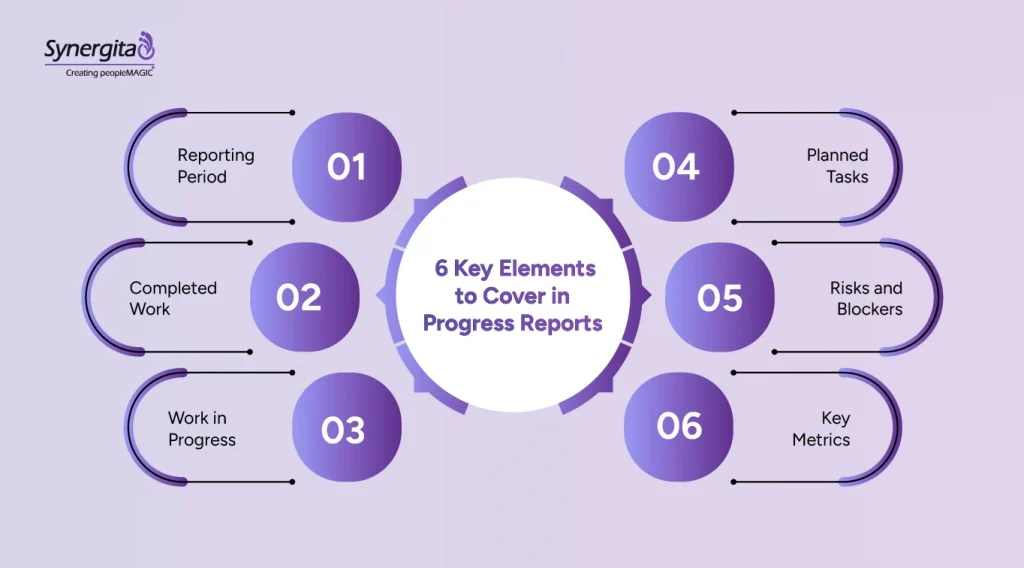
- Reporting period: The specific dates this report covers.
- Completed work: What was finished during this period, with specific outputs or deliverables.
- Work in progress: Tasks currently underway and their percentage completion.
- Planned tasks: What is planned for the next reporting period, with owners and deadlines.
- Risks and blockers: Issues that could delay or derail progress, flagged early enough to act on.
- Key metrics: Quantitative indicators relevant to the project or team.
The progress report format should stay consistent across reporting periods. When it changes every week, stakeholders spend time decoding the structure instead of focusing on the report.
Ready-to-Use Free Progress Report Templates You Can Copy and Use
Here are seven ready-to-use progress report samples and templates you can use. If you are looking for a progress report template for free, you can copy them.
Copy the following progress report templates free
1. Weekly Progress Report Template
Who uses it: Managers and team leads reporting to a senior leader, business owner, or project sponsor on a weekly cadence.
When to use it: Active projects or fast-moving teams where priorities shift regularly, and stakeholders need frequent visibility to make decisions.
Template:
| Weekly Progress Report | Project/Team: [Name] Reporting Period: [Start Date] – [End Date] Prepared by: [Name] |
| Completed This Week | [List of completed tasks with outputs] |
| In Progress | [Task name] [% complete] Owner: [Name]Due: [Date] |
| Next Week’s Plan | [Planned tasks with owners and target dates] |
| Risks / Blockers | [Issue] — [Impact] — [Action needed by whom, by when] |
| Key Metric This Week | [Metric name]: [Value] |
Filled-in Example:
| Weekly Progress Report | Project: Website Redesign Period: March 3–7, 2026 Prepared by: Sarah Mehra |
| Completed This Week | Finalized wireframes for homepage and product pages. Completed UX review with the design team. Received stakeholder sign-off on revised color palette. |
| In Progress | Mobile responsive design 60% complete Owner: Dev Team Due: March 14 |
| Next Week’s Plan | Begin front-end development sprint. Schedule content migration kickoff (Owner: Sarah, by March 11). |
| Risks / Blockers | Client content delayed by 5 days. If not received by March 10, go-live shifts by one week. Escalation sent to account manager. |
| Key Metric: | Tasks completed on schedule: 8/9 (89%) |
Suggested Reading: Key Metrics for Tracking Progress
2. Monthly Progress Report Template
Who uses it: Business owners, department heads, and senior managers reporting to leadership, boards, or investors.
When to use it: Long-cycle projects or company-wide initiatives where weekly reporting would be excessive but monthly alignment is essential.
Template:
| Monthly Progress Report | Project/Program: [Name]Month: [Month, Year]Prepared by: [Name] |
| Executive Summary | [2–3 sentences on overall status, major wins, and significant concerns] |
| Milestones Completed This Month | [Milestone] [Completion Date] [Notes] |
| Milestones In Progress | [Milestone] [Target Date] [% Complete] [Owner] |
| Budget Status | Budgeted: $[X]Spent to Date: $[X] Remaining: $[X] Variance: [%] |
| Key Risks | [Risk] [Likelihood][Mitigation Plan] |
| Next Month’s Priorities | [Priority 1] [Priority 2][Priority 3] |
Filled-in Example:
| Monthly Progress Report | Program: ERP Implementation Month: February 2026Prepared by: James Smith |
| Executive Summary | Phase 2 of the ERP rollout is on track. Data migration completed three days ahead of schedule. User acceptance testing begins March 3. No material budget variance. |
| Milestones Completed | Data migration (Phase 2) February 24 Completed 3 days ahead of schedule |
| Milestones In Progress | User Acceptance Testing March 3–14 0% started Owner: QA Team |
| Budget Status | Budgeted: $420,000 Spent: $198,000 Remaining: $222,000 Variance: –2% |
| Key Risks | Three department heads have not completed the required training ahead of UAT. HR follow-up scheduled for March 2. |
| Next Month’s Priorities | Complete UAT, resolve open defects, and prepare the go-live checklist. |
3. Employee Progress Report Template
Who uses it: Managers and HR professionals tracking an individual employee’s performance, goal progress, and professional development.
When to use it: Quarterly reviews, one-on-one check-ins, performance cycles, or new hire 30–60–90 day assessments.
Template:
| Employee Progress Report | Employee Name: [Name] Role: [Title] Manager: [Name] Period: [Dates] |
| Goals Set for This Period | [Goal 1] [Goal 2] [Goal 3] |
| Progress Against Each Goal | Goal 1: [Status] — [Details] Goal 2: [Status] — [Details] Goal 3: [Status] — [Details] |
| Key Achievements | [Specific accomplishment with measurable outcome] |
| Areas for Development | [Skill or behavior to focus on next period] |
| Support Needed | [Resources, training, or manager involvement required] |
| Next Period Goals | [Goal 1] [Goal 2] |
Filled-in Example:
| Employee Progress Report | Employee: Arjun Sharma Role: Sales Executive Manager: Leila Hassan Period: Jan–Mar 2026 |
| Goals Set for This Period | Achieve $180,000 in pipeline revenue. Close 8 new accounts. Complete product certification. |
| Progress Against Each Goal | Pipeline Revenue: On track; $160,000 done (Almost 90% of target) New Accounts: 6 closed, 2 in final negotiation; expected close by March 20 Product Certification: Completed February 28, ahead of schedule |
| Key Achievements | Closed the highest-value deal in Arjun’s tenure ($48,000 ARR, FinServ sector). |
| Areas for Development | Discovery call structure; demo-to-proposal conversion is 31% vs team average of 44%. |
| Support Needed | One coaching session with a senior AE before Q2 begins. |
| Next Period Goals | $220,000 pipeline, 10 new accounts, mentor one new SDR. |
4. Team Progress Report Template
Who uses it: HR managers and department heads tracking a whole team or department’s collective performance, OKR progress, training completion, and engagement. This format can also work as a staff progress reporting template for broader workforce tracking.
When to use it: Quarterly or semi-annually, for leadership reviews, workforce planning discussions, or company-wide OKR check-ins.
Template:
| Team Progress Report | Department/Team: [Name] Reporting Period: [Dates] Prepared by: [Name] |
| Team Overview | Total headcount: [X] New hires this period: [X]Open roles: [X] |
| Goals / OKRs | [Objective]: [On Track / At Risk / Completed] KR1: [Target] – [Current progress] KR2: [Target] – [Current progress] |
| Training and Development | [Program Name]: [X]% of team completed |
| Engagement and Retention | Voluntary turnover this period: [%] Team satisfaction score: [X/10] |
| Highlights | [Notable team win or achievement with measurable outcome] |
| Areas of Concern | [Issue] — [Action plan and owner] |
Filled-in Example:
| Team Progress Report | Department: Customer Success Period: Q1 2026 Prepared by: Nina Patel |
| Team Overview | Total headcount: 14 New hires: 2 Open roles: 1 (Senior CSM) |
| Goals / OKRs | Objective: Improve customer retention to 92% At Risk (currently 88%) KR1: Reduce avg. onboarding to 14 days — On Track (currently 16 days) KR2: Achieve NPS of 45+ — Completed (NPS: 47) |
| Training and Development | CRM Advanced Training: 11/14 team members completed (79%) |
| Engagement and Retention | Voluntary turnover: 0% | Team satisfaction score: 8.2/10 |
| Highlights | Best NPS quarter in department history. Two new CSMs fully ramped in under 30 days. |
| Areas of Concern | Three enterprise accounts showing early churn signals. Under review with the VP of Customer Success. |
Suggested Reading: Effective Goal-setting with OKRs
5. Project Manager Progress Report Template
Who uses it: Project managers reporting to business owners, sponsors, or senior leadership on overall project health.
When to use it: Milestone reviews, steering committee meetings, or any formal governance checkpoint where a structured summary of schedule, budget, and risk is needed.
Template:
| Project Manager Report | Project: [Name] Phase: [Phase] Reporting Date: [Date] PM: [Name] |
| Overall Status | [Green / Amber / Red] |
| Schedule Status | [On Track / X days behind / X days ahead] |
| Budget Status | [On Track / Over by $X / Under by $X] |
| Scope Status | [No changes / Change requests pending] |
| Milestones This Period | [Milestone]: [Achieved / In Progress / Delayed] — [Notes] |
| Top Risks | 1. [Risk] — [Impact] — [Mitigation] 2. [Risk] — [Impact] — [Mitigation] |
| Decisions Required | [Decision needed] — [Owner] — [Deadline] |
Filled-in Example:
| Project Manager Report | Project: CRM MigrationPhase: 2 of 3 Date: March 13, 2026 PM: David Kwon |
| Overall Status | AMBER |
| Schedule Status | 4 days behind plan |
| Budget Status | On track ($312,000 of $400,000 used) |
| Scope Status | One change request pending (additional data field mapping) |
| Milestones This Period | Data cleansing Achieved March 10, 2 days late due to source data issues Test environment setup In Progress Due March 17 |
| Top Risks | 1. Legacy system downtime window shorter than planned — could delay Phase 3 cutover by 1 week 2. IT resource conflict with Q2 infrastructure upgrade — escalated to CTO |
| Decisions Required | Approve the change request for additional field mappingOwner: Rachel Moore — by March 15 |
6. Quarterly Progress Report Template
Who uses it: Business owners, OKR champions, and department heads presenting to senior leadership, boards, or investors.
When to use it: Q1–Q4 business reviews, OKR retrospectives, and investor or board update cycles.
Template:
| Quarterly Progress Report | Quarter: [Q1/Q2/Q3/Q4, Year] | Department/Company: [Name] | Prepared by: [Name] |
| Quarter in Review | [2–3 sentence summary of what the quarter delivered] |
| OKR / Goal Performance | Objective: [Statement]KR1: [Target] – [Achieved] ([%]) KR2: [Target] – [Achieved] ([%]) KR3: [Target] – [Achieved] ([%]) |
| Revenue / Financial Highlights | Revenue: [Target vs Actual] Gross Margin: [%] Variances: [Notes] |
| Top 3 Wins This Quarter | 1. [Win with measurable outcome] 2. [Win] 3. [Win] |
| What Did Not Go as Planned | [Honest assessment with root cause and key learnings] |
| Next Quarter’s Priorities | [Priority 1] [Priority 2] [Priority 3] |
Filled-in Example:
| Quarterly Progress Report | Quarter: Q1 2026 Team: Marketing Prepared by: Sarah Campbell |
| Quarter in Review | Q1 was a strong quarter for the pipeline and brand. Lead generation exceeded the target by 18%. Two major campaigns were launched on schedule. The SEO program is showing early traction but has not yet reached target traffic levels. |
| OKR Performance | Objective: Establish marketing as a measurable revenue driver KR1: Generate 1,200 MQLs; 1,418 achieved (118%) KR2: $2.1M attributed pipeline; $1.87M achieved (89%) KR3: Grow organic traffic to 45,000/month; 32,000 achieved (71%) |
| Revenue / Financial | Marketing-attributed pipeline: $1.87M vs $2.1M target | CPL down 12% vs Q4 |
| Top 3 Wins | 1. Highest MQL quarter in company history 2. First enterprise webinar; 420 registrants, 38% attendance 3. SEO program launched; 12 articles published in 8 weeks |
| What Did Not Go as Planned | Organic traffic underperformed due to delayed keyword research. Q2 plan includes a dedicated SEO sprint starting April 1. |
| Q2 Priorities | Scale content to 20 articles/month, launch paid search pilot, improve MQL-to-SQL conversion rate. |
7. Simple One-Page Progress Report Template
Who uses it: Small business owners, team leads, and anyone who needs a fast, clean update without the overhead of a formal report structure.
When to use it: Weekly check-ins, client updates, or internal team syncs where brevity is the priority.
Template:
| Progress Update | Project/Work Name: [Name] Date: [Date] Prepared by: [Name] |
| Done | [Item 1] [Item 2] |
| In Progress | [Item] ([% complete], due [date]) |
| Next | [Item] (owner: [name], by [date]) |
| Watch Out For | [Risk or blocker that needs attention] |
Filled-in Example:
| Progress Update | Project: Q2 Marketing PlanDate: March 13, 2026 Prepared by: Mia Torres |
| Done | Q1 campaign performance review completed and shared with leadership — Content calendar for April finalized and approved |
| In Progress | Paid search campaign brief (70% complete, due March 17) — April email sequence (30% complete, due March 24) |
| Next | Submit paid search brief to agency (Mia, by March 17) — Get sign-off on email sequence copy (CEO, by March 21) |
| Watch Out For | Agency capacity is limited in April. Briefs must be submitted by March 17 or campaign start shifts to May. |
How to Write a Progress Report
Writing a progress report can be complex without a structured approach. Let’s look at the five-step process to write an effective progress report.
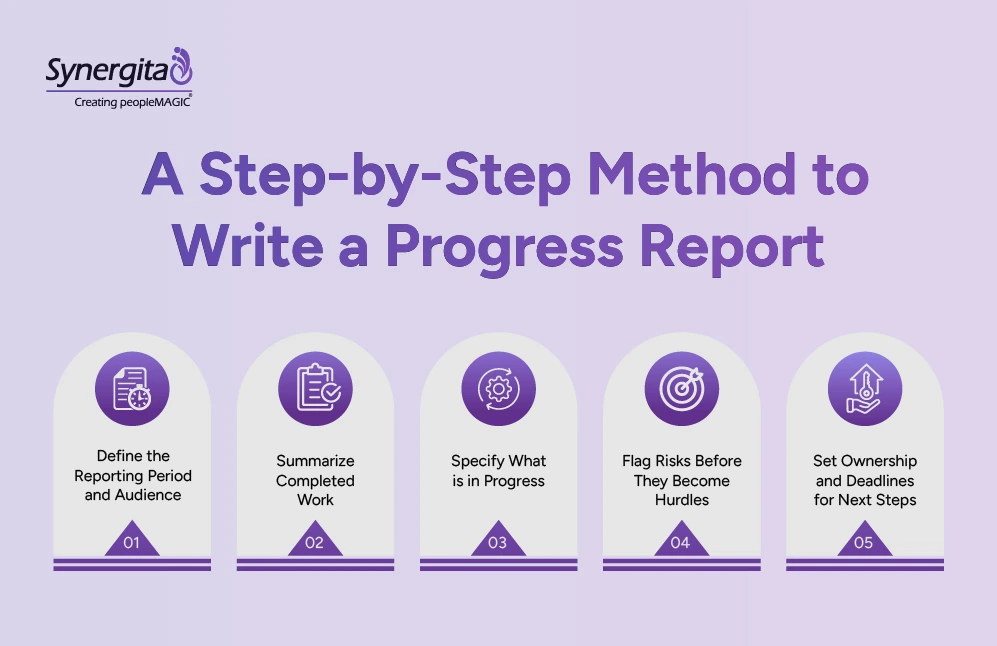
1. Define the Reporting Period and Audience
A progress report written for a business owner reads differently from one written for a direct manager. The audience determines the level of detail, the metrics you include, and how much context is needed. Set the reporting period first, it anchors everything else.
2. Summarize Completed Work
“Worked on the campaign brief” tells a stakeholder nothing. “Completed the campaign brief submitted to the creative team for review on March 11” tells them exactly where things stand. Completed work should describe what was produced or decided, not how many hours went into it.
3. Specify What Is in Progress
Percentage complete is only useful if it’s accurate and consistently defined. If 60% complete means three of five deliverables are done, say that. Vague percentages erode credibility faster than missing a deadline.
4. Flag Risks Before They Become Hurdles
This is the step most people skip until it is too late. A progress report exists not just to tell stakeholders what went well but to surface risks while there is still time to act. A blocker mentioned in week two is a manageable problem. The same blocker surfaced in week six is a crisis.
5. Set Ownership and Deadlines for Next Steps
“We will look into this next week” is not the next step. “Priya will finalize the vendor contract by March 18” is. Every action item should have one owner and one deadline. If it does not, it will not get done.
Final Takeaway
The right progress report format depends on who is reading it and how frequently they need to be updated. A business owner tracking a company-wide initiative needs a quarterly view with financial context.
The templates above cover each of those contexts. Pick the one that fits your role and reporting cadence, customize the fields, and use it consistently. For teams tracking OKRs and goals along with their progress reports so every report tells stakeholders exactly where things stand and what it means.
Synergita OKR tool connects individual and team progress to company-level objectives. If you are looking for a structured system to set and track goals, try Synergita. Start your free trial today.
Frequently Asked Questions
It depends on the pace of the work and the stakeholder’s need for visibility. Weekly reports suit active projects where priorities shift frequently. Monthly reports work for longer-cycle programs where strategic milestones matter more than daily tasks.
A progress report tracks cumulative advancement toward a goal over time. A status report captures a point-in-time snapshot of where things stand right now. Progress reports are better for ongoing initiatives and performance tracking. Status reports work better for operational check-ins where a quick current read is all that is needed.
As long as it needs to be and no longer. A weekly one-page update works for small teams. A quarterly report for senior leadership may run three to five pages with financial data and OKR results. Match length to audience and purpose, not to a word count.
Usually the person closest to the work, the project manager, team lead, or HR manager. In larger organizations, managers compile input from their teams and write the consolidated report. The key is that one person owns it and one person is accountable for its accuracy.